Editing Profile
The HIEV Canada mobile app allows you to view and update your personal account details, profile photo, and manage your account preferences.
How to Access Your Profile
-
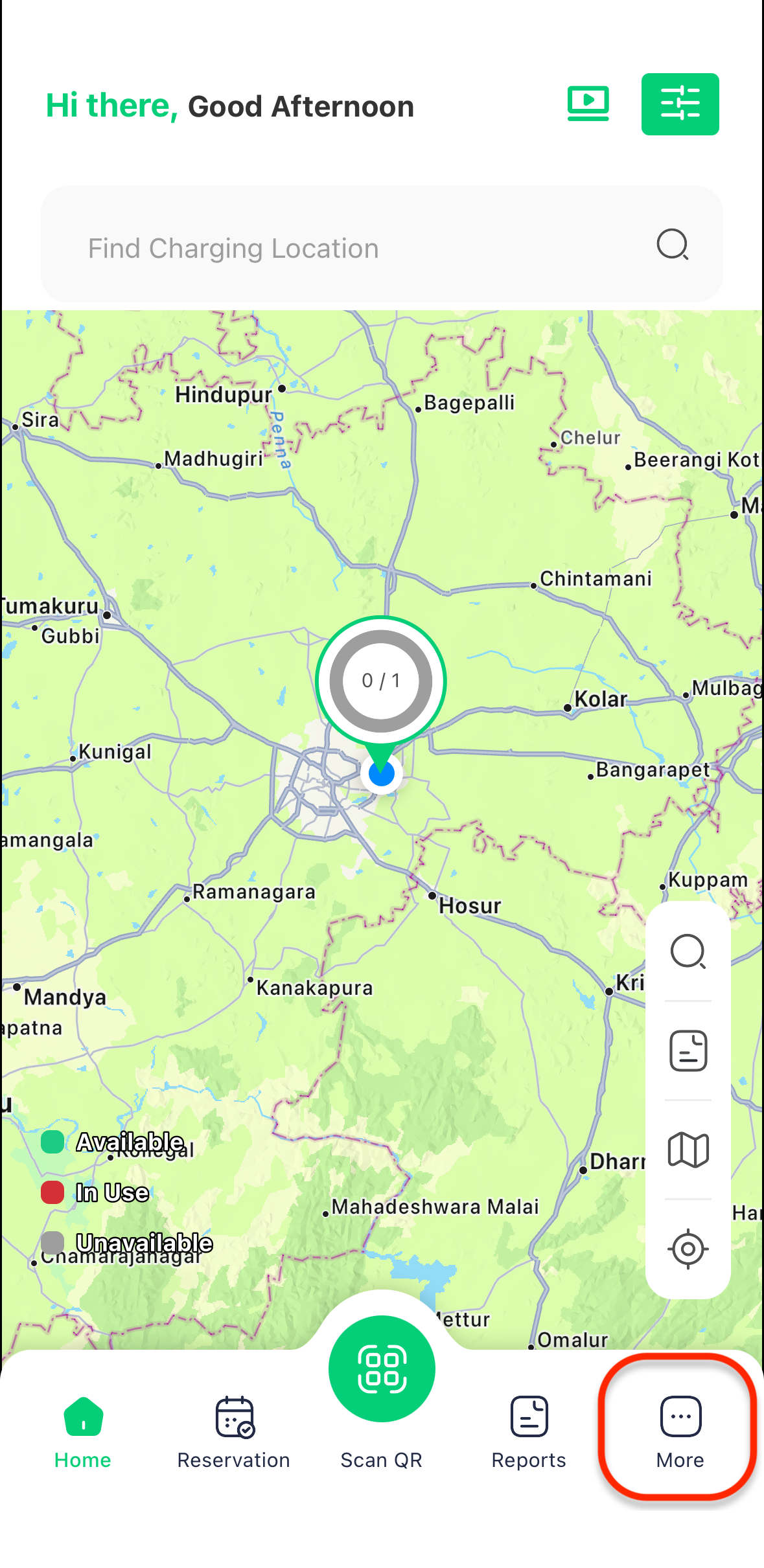
Sign in to your account to open the main app dashboard.
-
Tap on the More icon in the bottom navigation bar.
-
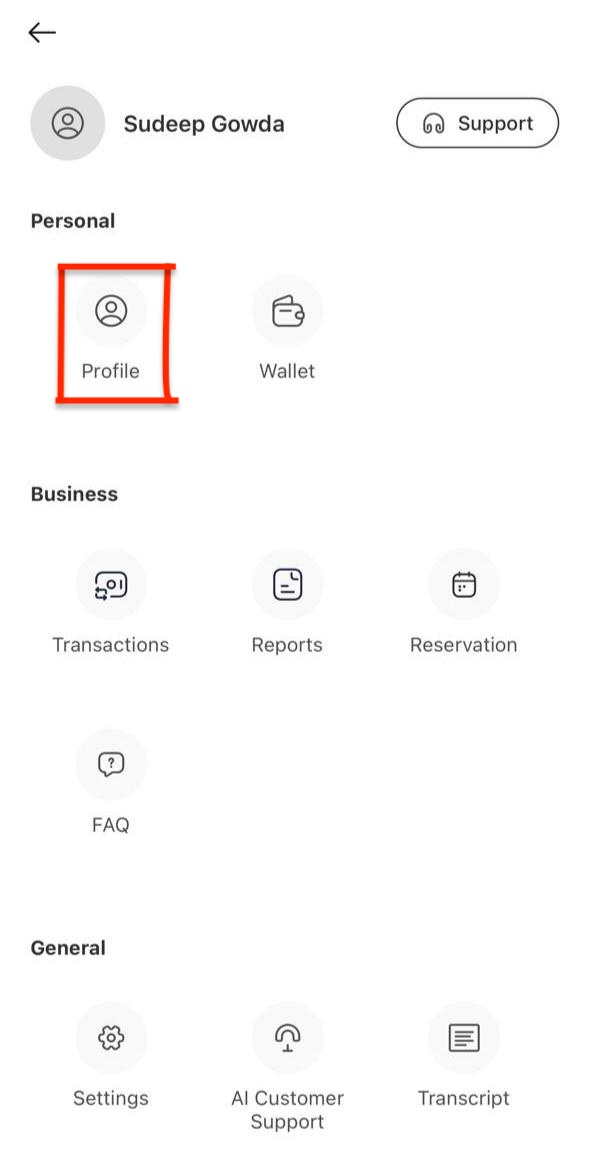
Select Profile from the menu options.
Updating Profile Information
1. Profile Photo
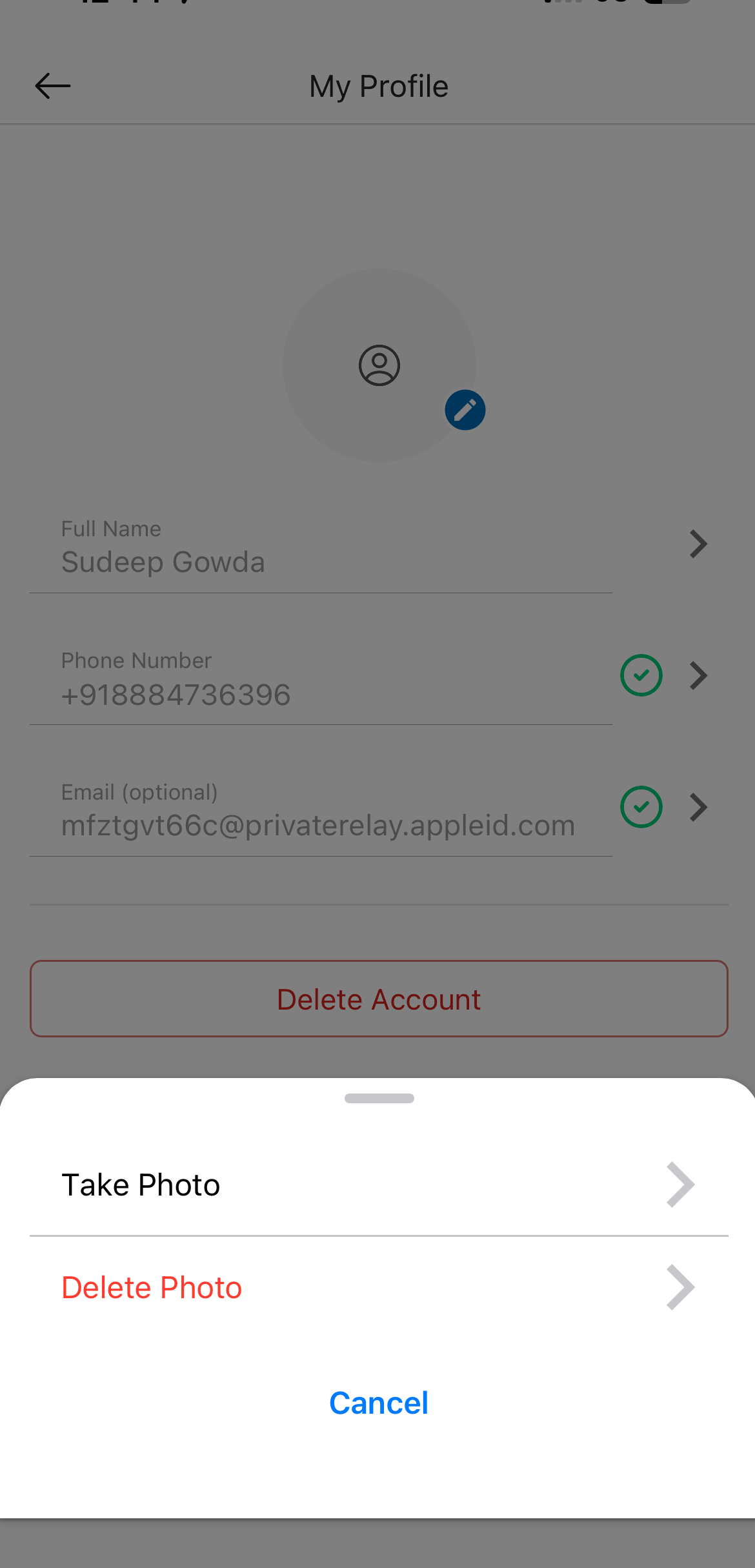
To upload or remove your profile picture: Tap the camera icon on your profile avatar to open the photo options:
-
Take Photo
-
Delete Photo
2. Name (First & Last Name)
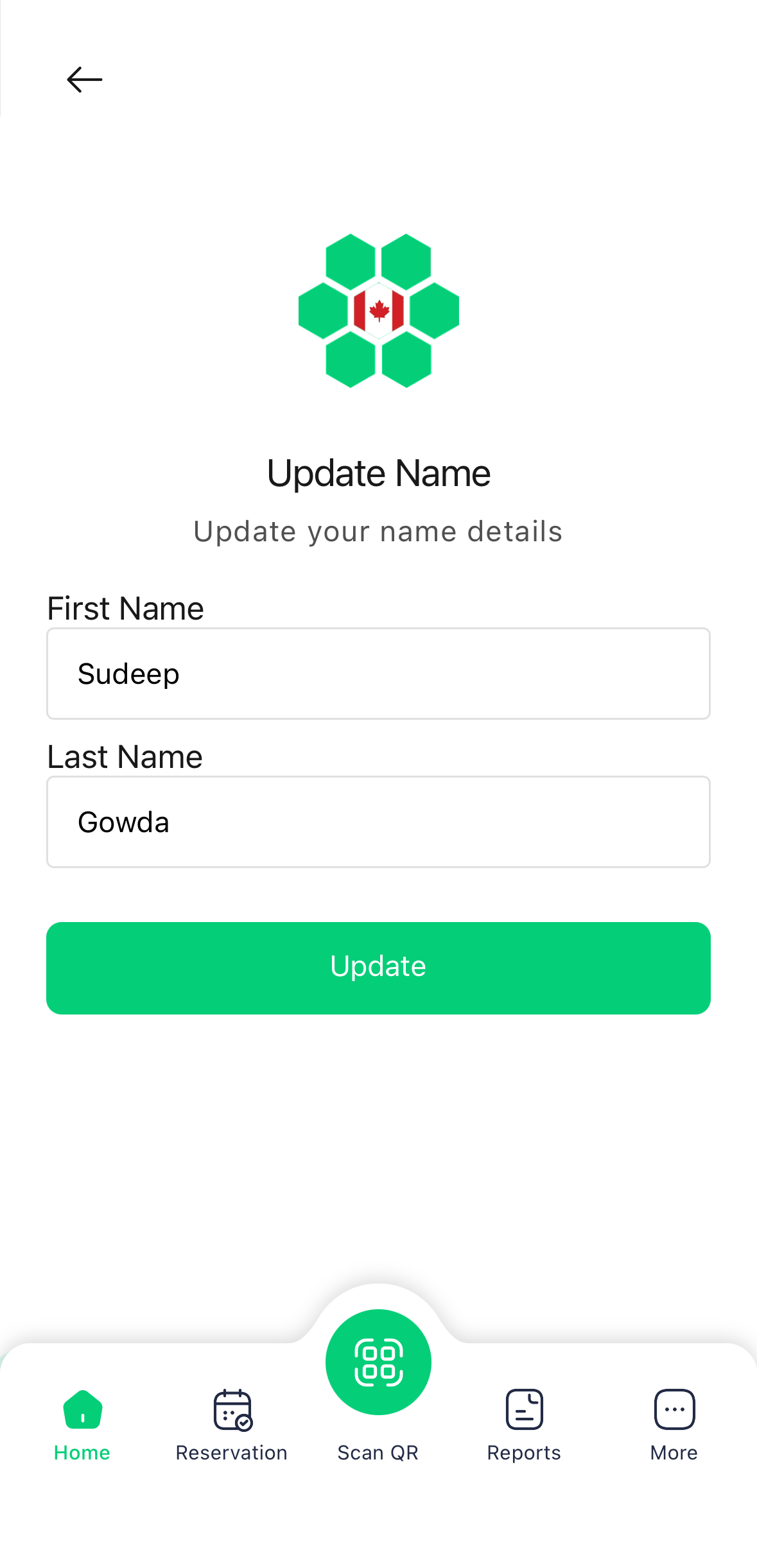
To update your account name:
- Tap on the Name input field.
- Enter your updated First Name and Last Name.
- Tap Update to apply changes.
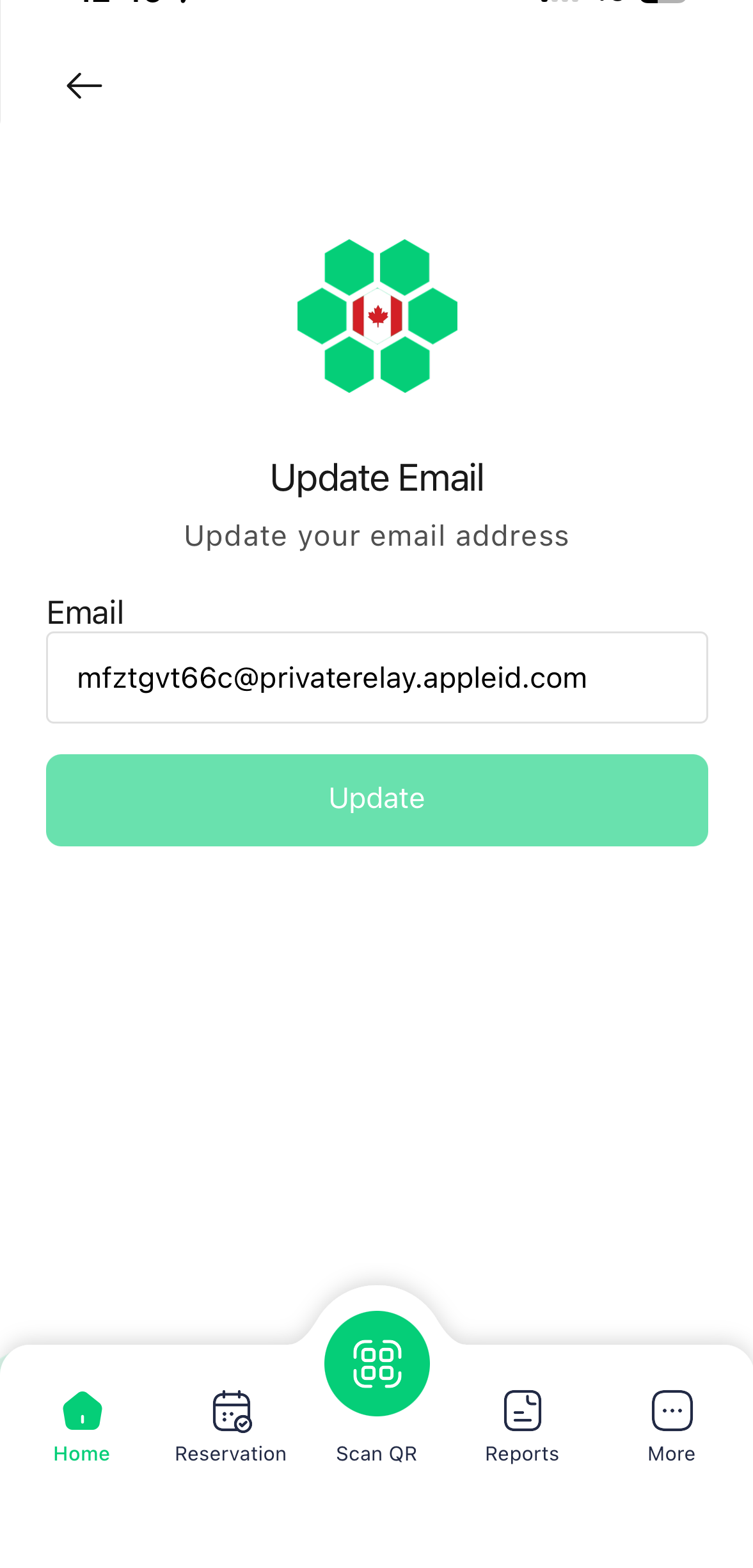
3. Email Address
To update your registered email:
- Tap on the Email field.
- Enter your new email address.
- Tap Update to apply changes.
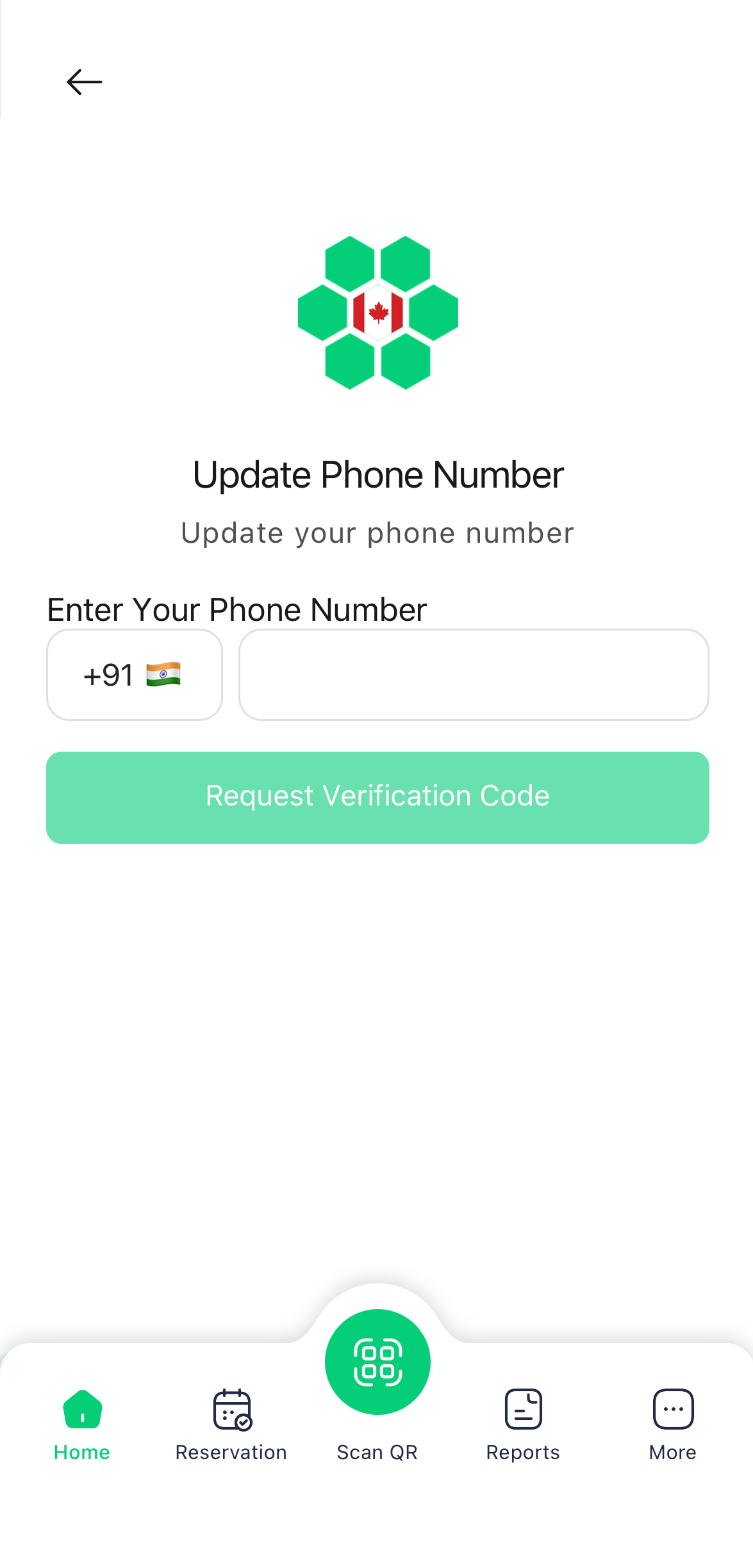
4. Phone Number
To update your primary phone number:
- Tap on the Phone Number field.
- Enter your new mobile number.
- Tap Request Verification Code to verify new phone number.
Deleting Your Account
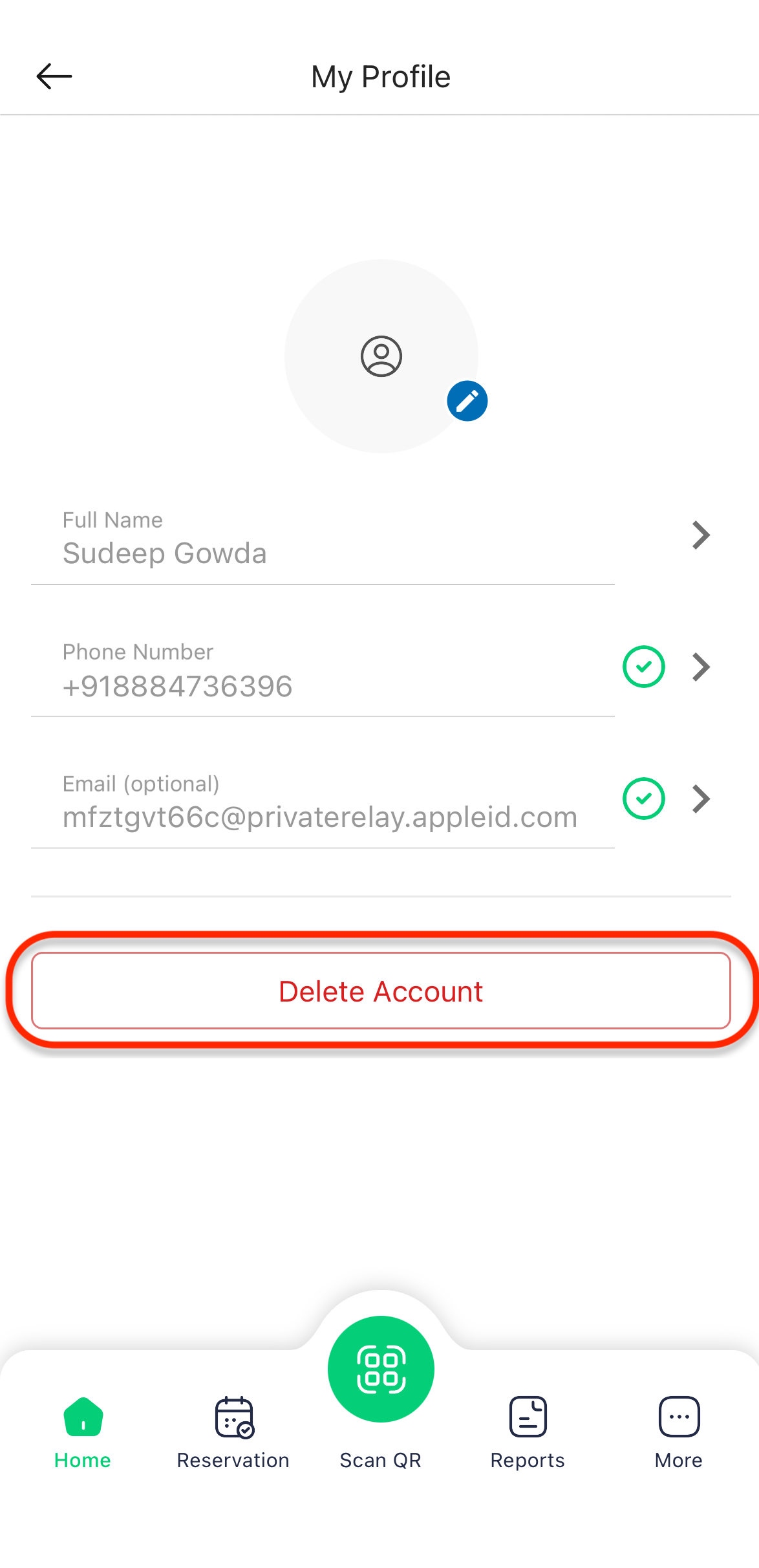
If you wish to remove your account from the HIEV Canada network:
- Scroll to the bottom of the Profile screen.
- Tap Delete Account.
- Confirm the action when prompted.
Review the confirmation prompt before proceeding with account deletion. This action does not immediately remove the customer record:
- The account is moved to Inactive Customers and retained for 180 days.
- The customer's previous charging-session history and associated RFID records remain available while the account is inactive.
If you wish to reactivate your account within the 180-day grace period:
- Contact HIEV Canada Support.
- The support team can restore your account from the inactive list back to Active status.