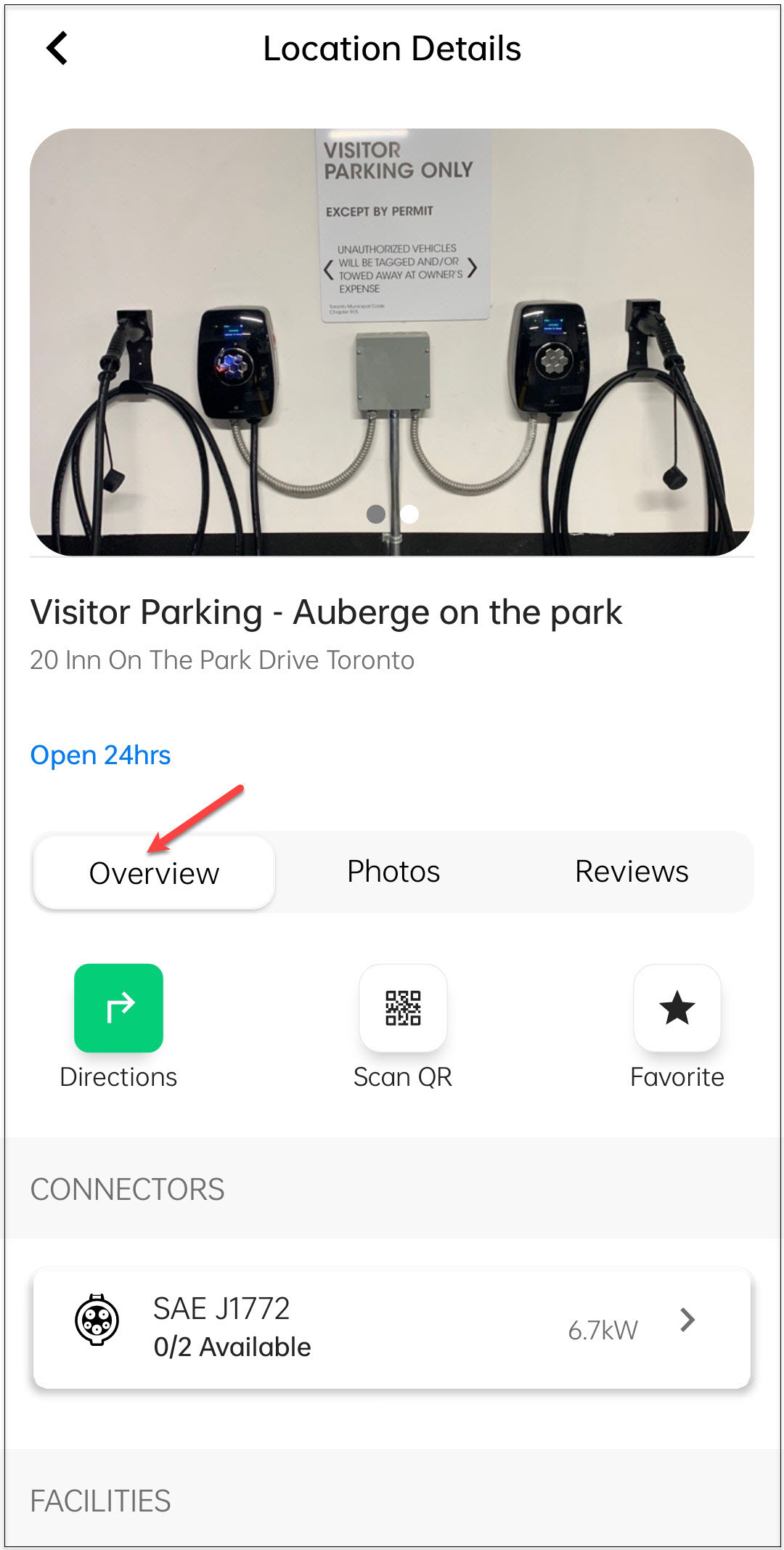
Overview
The Overview screen under Location Details provides a summary of the charging station.
You can perform the following tasks:
- View driving directions.
- Scan the QR code to start charging your vehicle.
- Mark the location as a favorite.
To navigate to the Overview screen, follow these steps:
-
Tap on the location card.
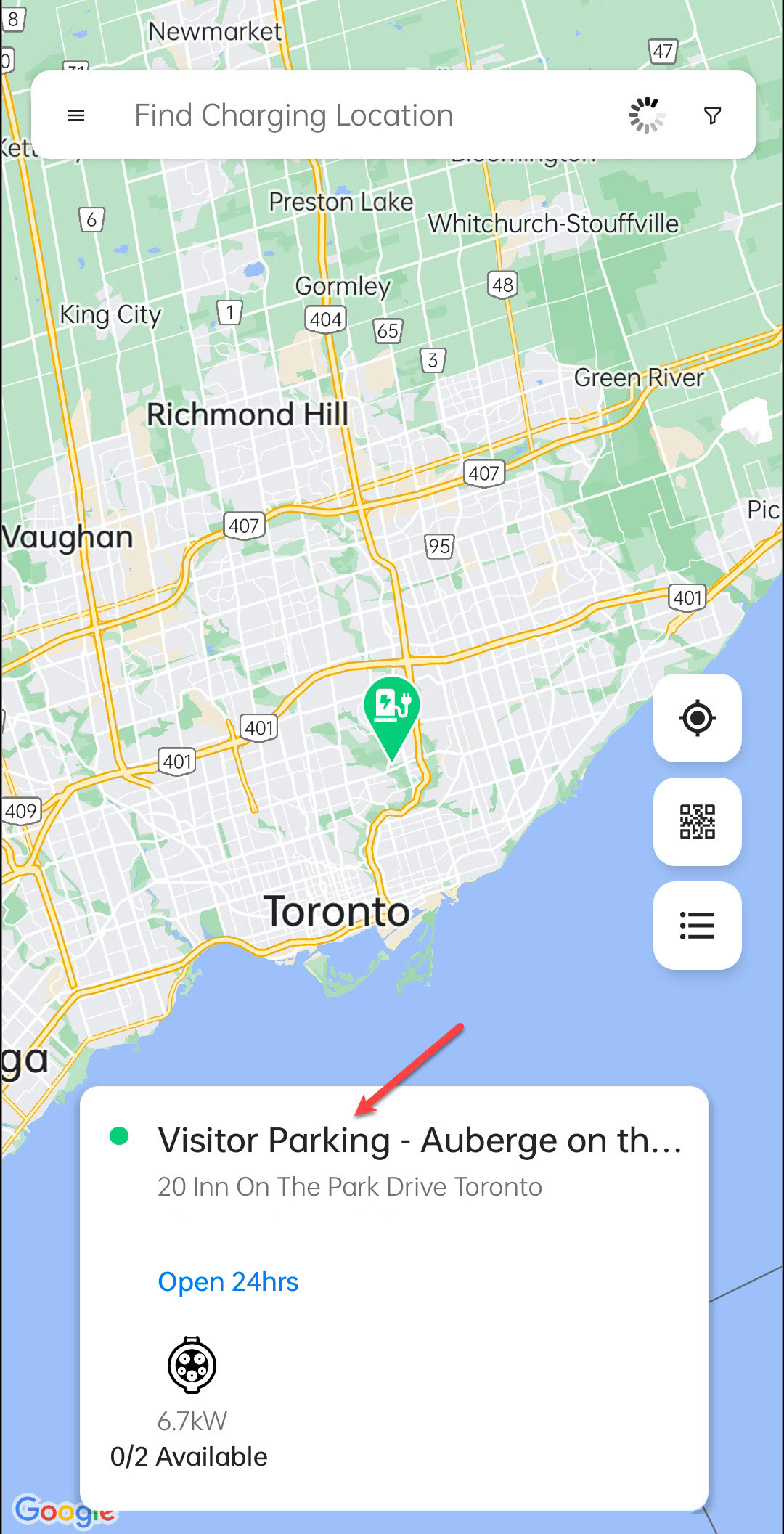
-
Tap on the details card.
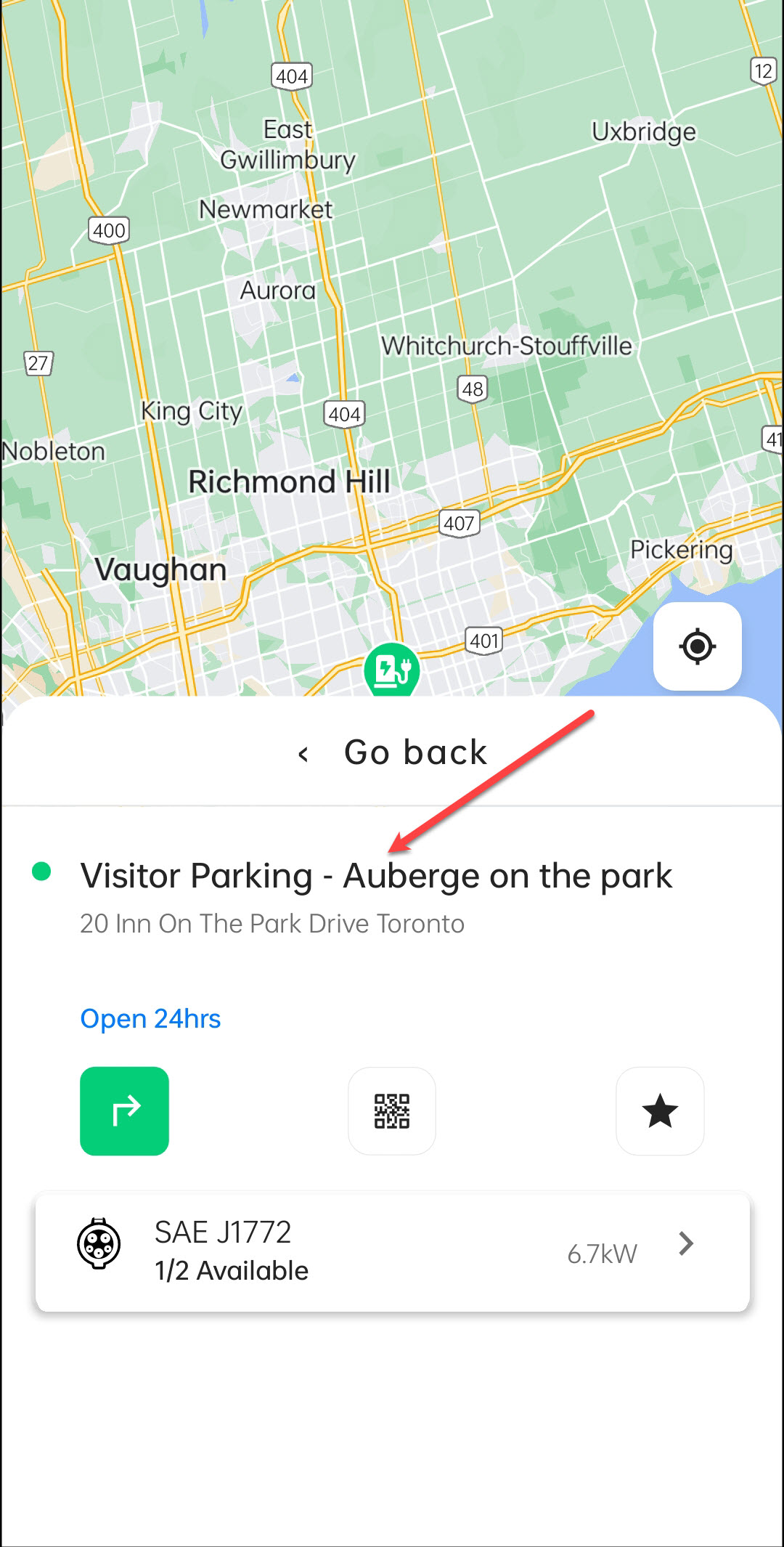
-
Tap on the Overview button.