Reaching Out To Support
If you experience any issues or have questions regarding your account or charging sessions, you can contact the HIEV Canada support team or use our AI Voice Support directly from the app.
Contacting Support Team
-
Sign in to your HIEV Canada account.
-
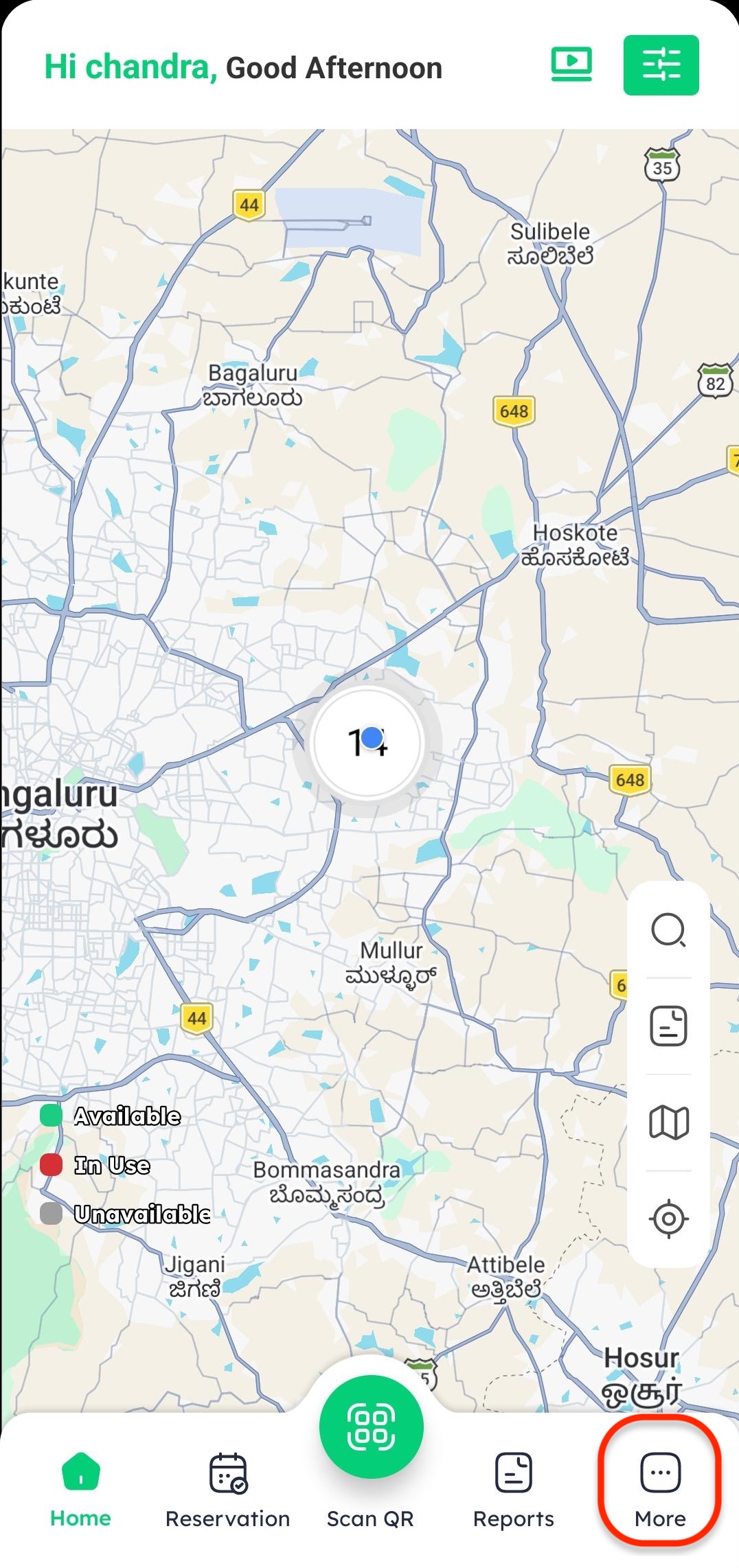
Tap on the More icon in the bottom menu.
-
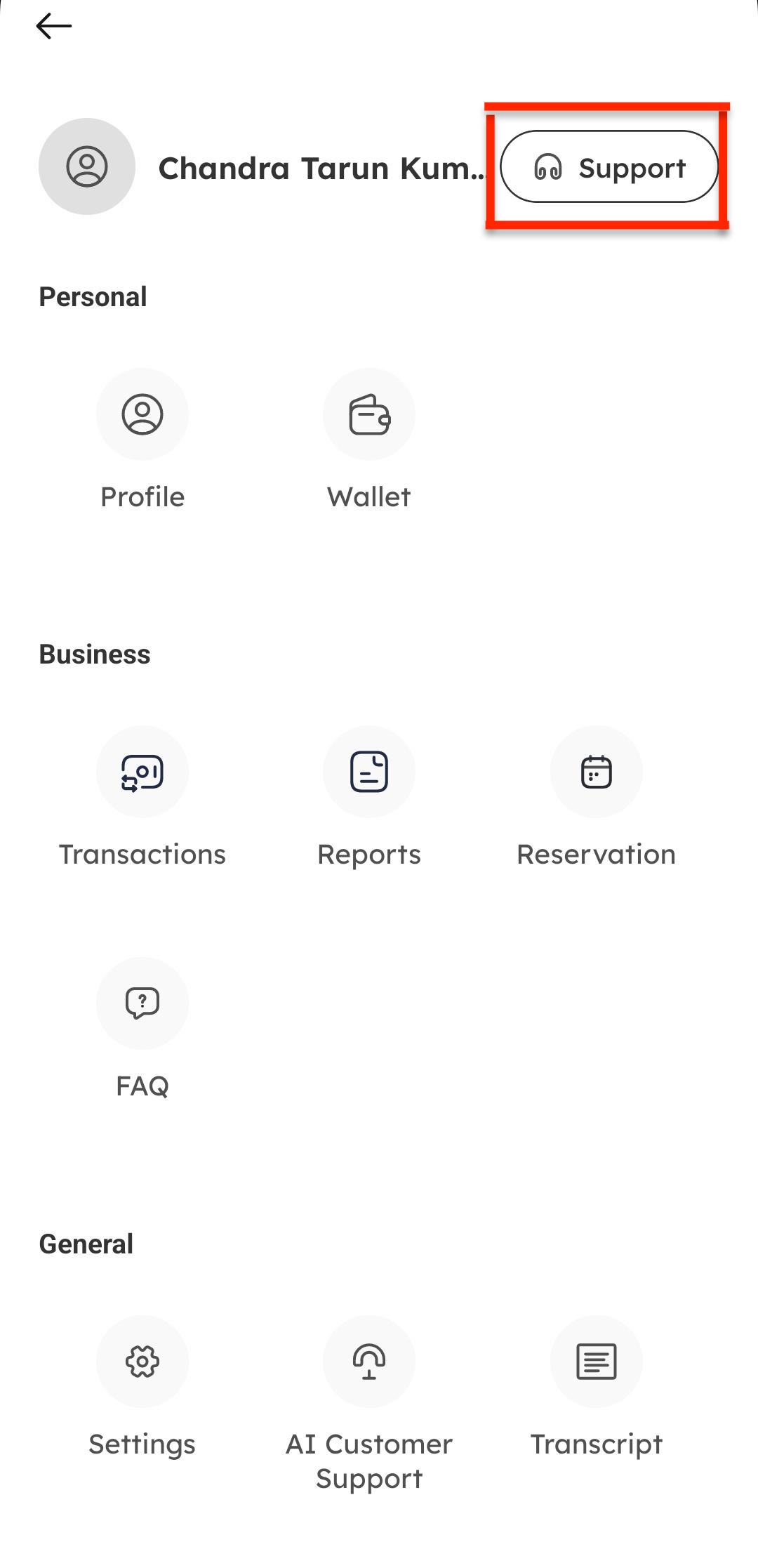
Tap on Support from the list of options.
-
Enter your comments or describe your issue, then tap Submit.
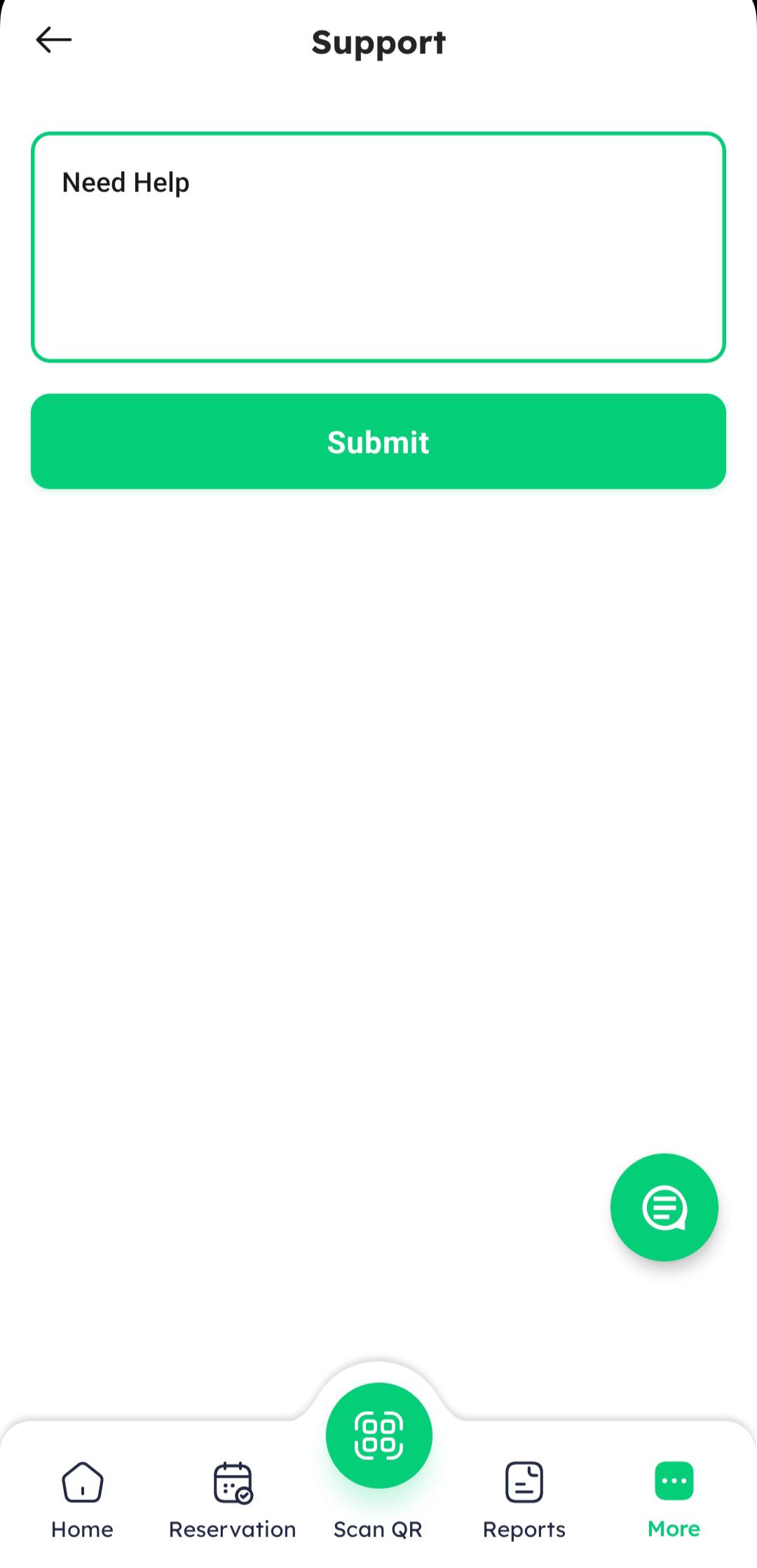
Our support team will review your request and get back to you as soon as possible.
AI Customer Support
For quick answers to general product queries or immediate assistance, you can use our built-in AI Voice Support:
-
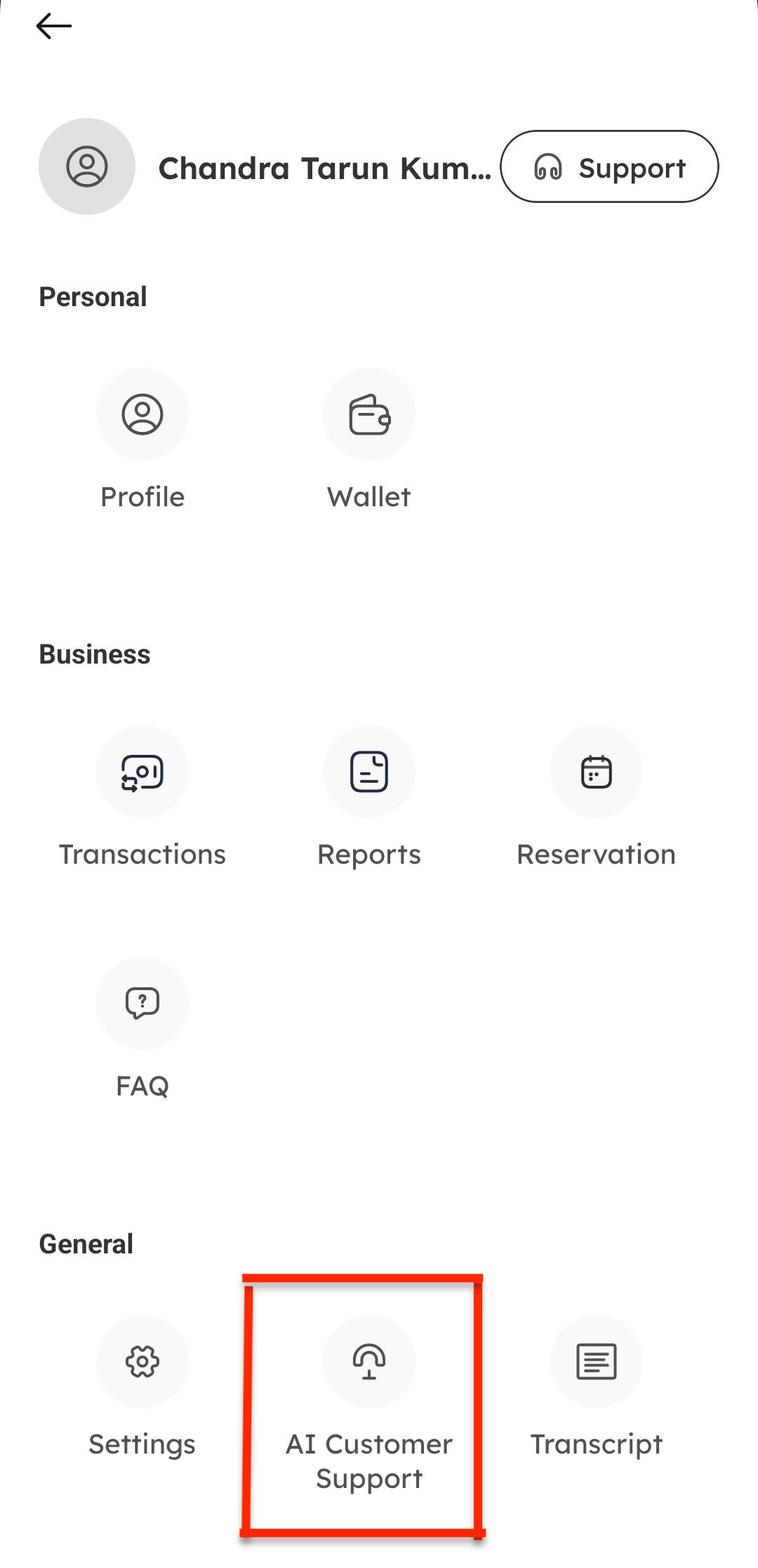
Tap on AI Customer Support on the main Profile or More page.
-
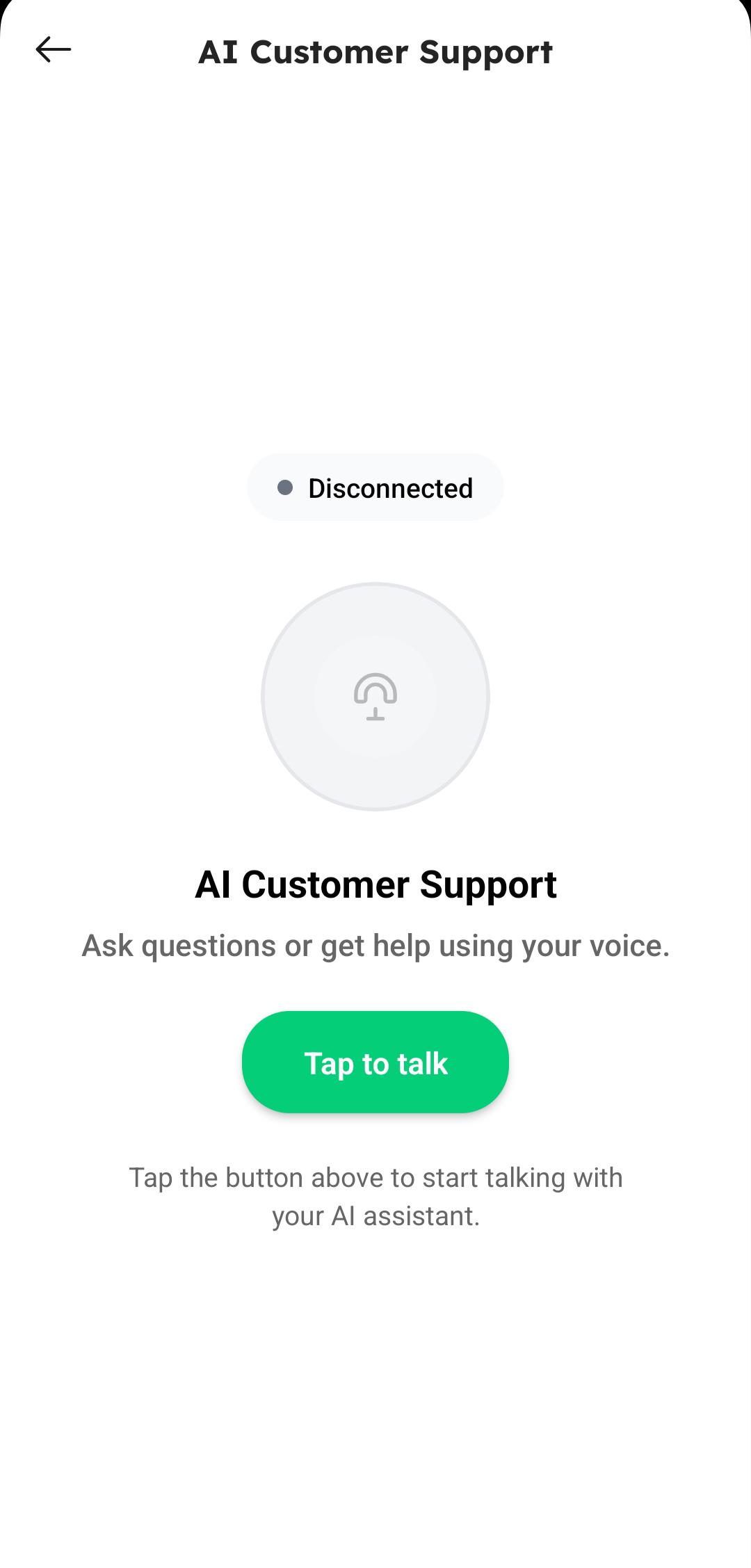
Tap on Tap to Talk and speak clearly to ask your queries.
-
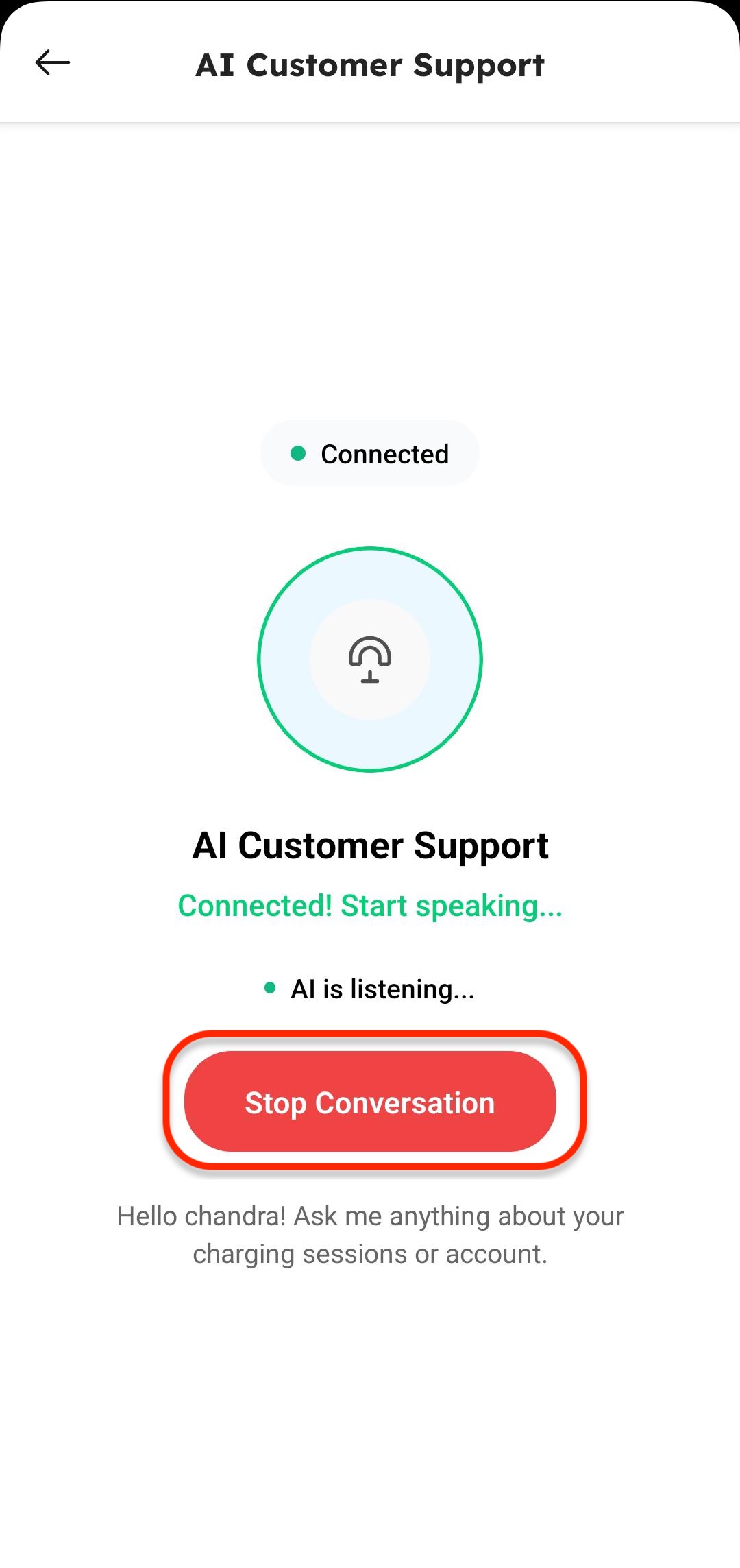
Start asking your queries to the AI agent. Once your doubt is resolved, tap to end or stop the conversation.