Managing Wallet
To pay for charging sessions seamlessly, ensure your HIEV Canada eWallet has a sufficient balance before starting a session.
How to Access Your Wallet
-
Sign in to your HIEV Canada account.
-
Tap on the More icon in the bottom menu.
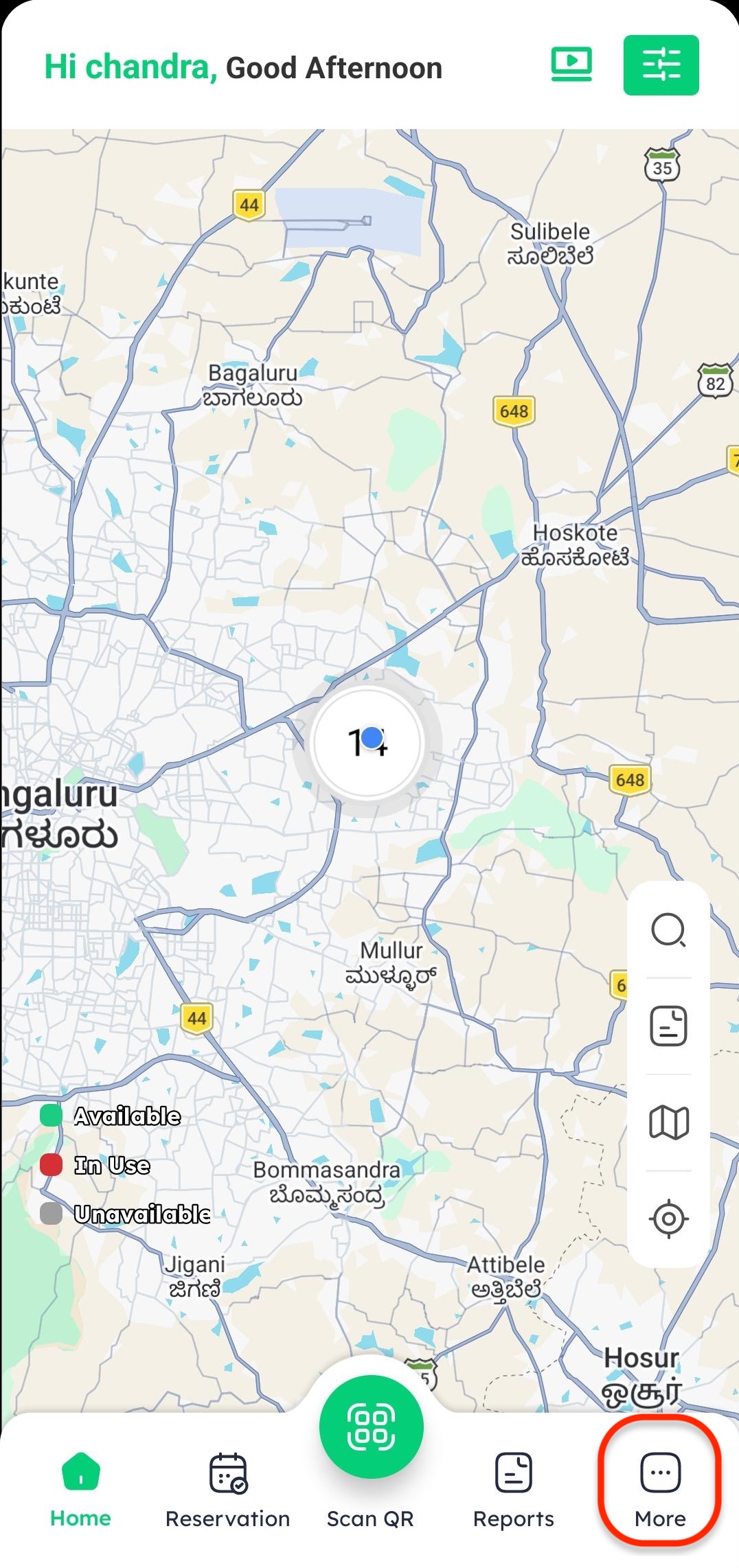
-
Tap on Wallet from the list of options.
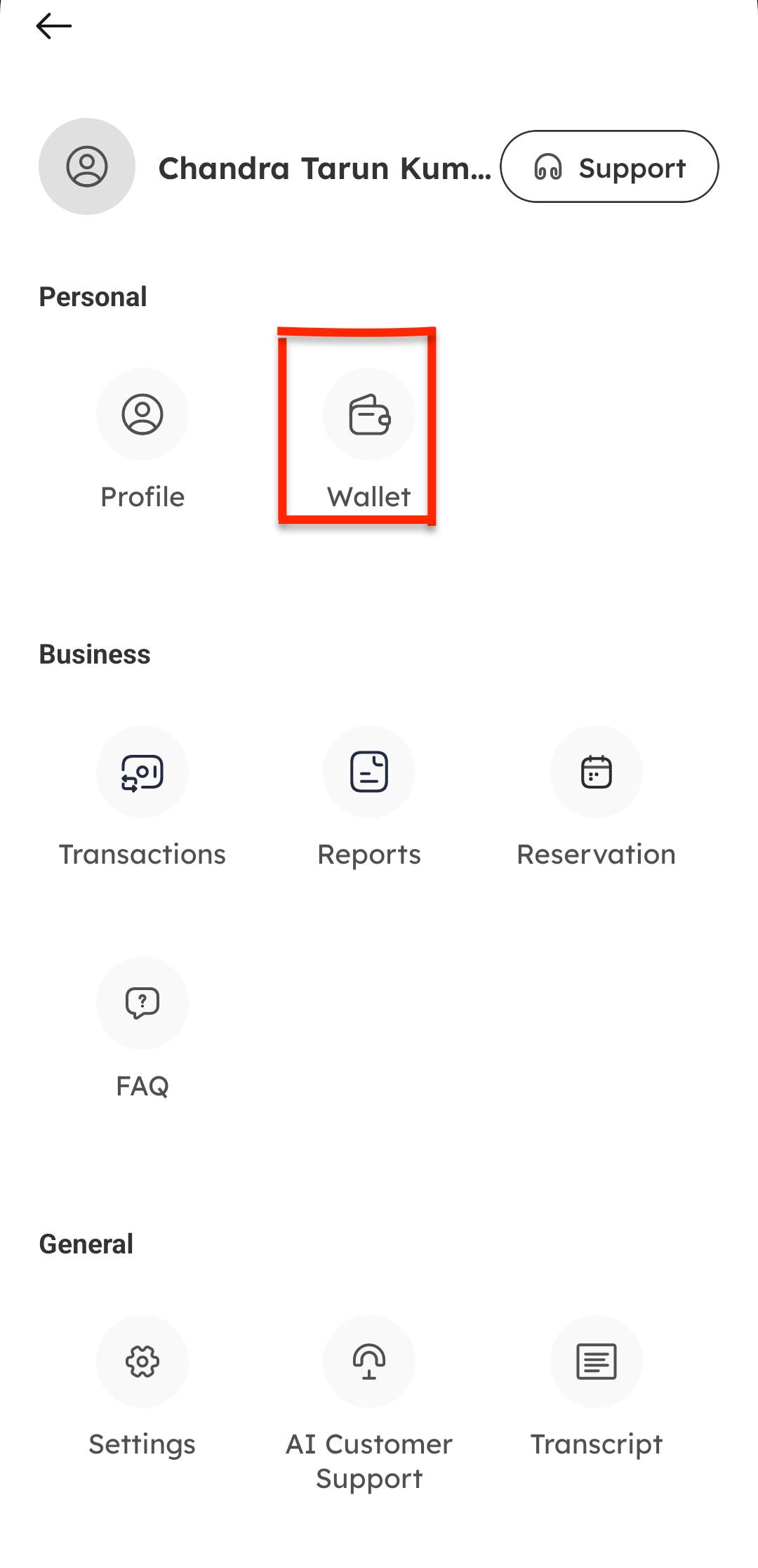
Adding Funds to Your Wallet
-
On the Wallet overview screen, view your current balance and tap Add Money.
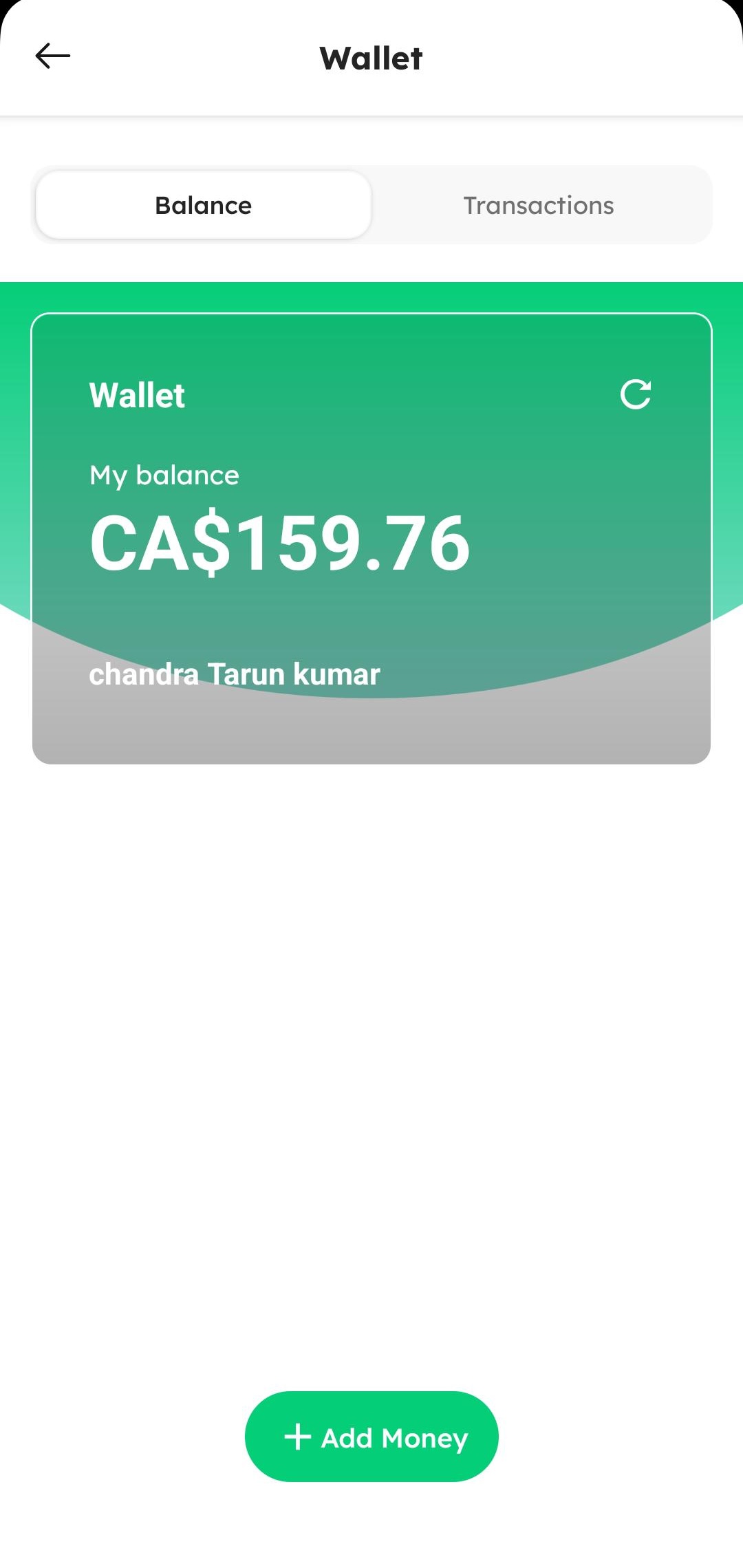
-
Select a pre-configured quick amount (e.g., $10, $20, $50) or manually type in your desired top-up amount. Then, tap Add.
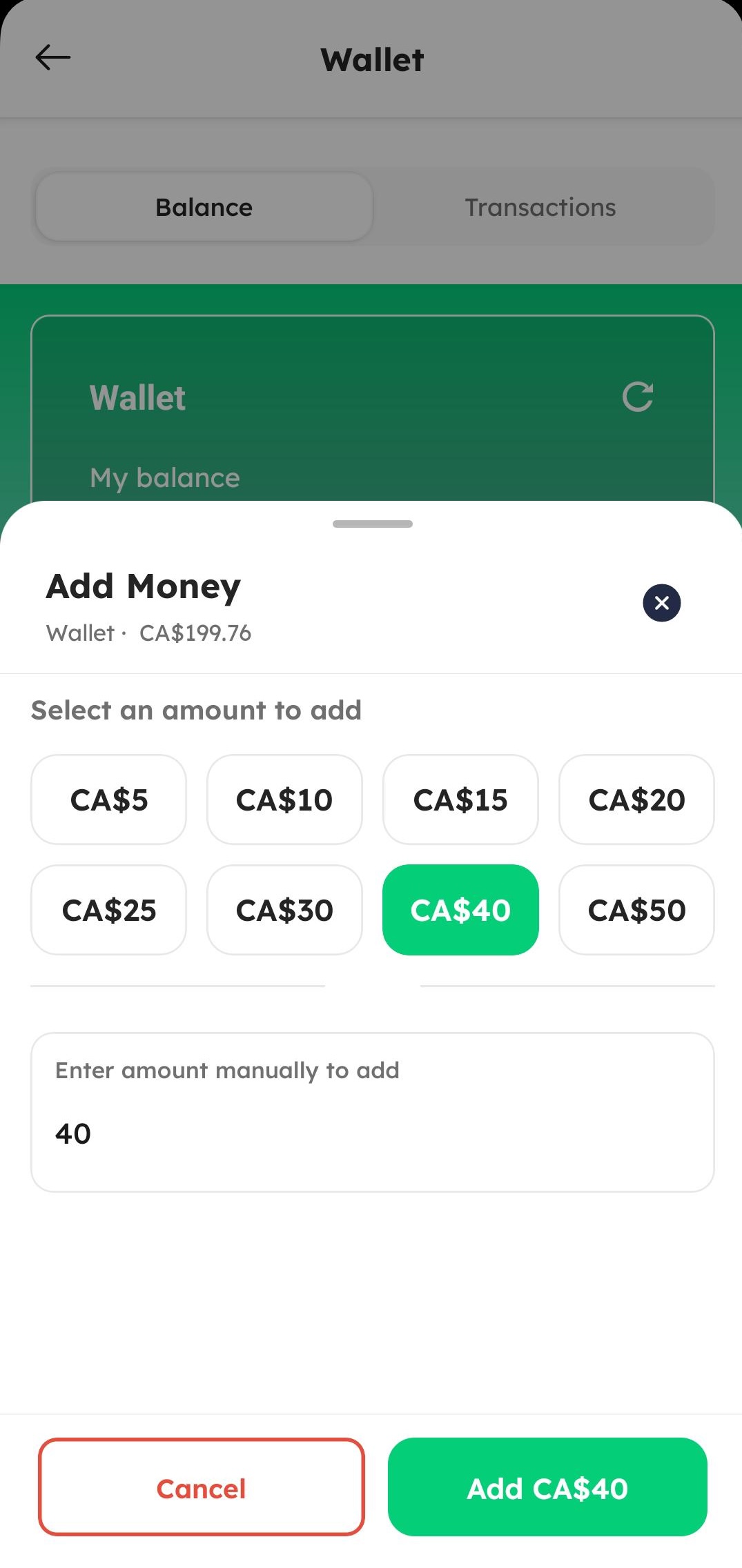
-
Enter your payment details and tap PAY to complete the top-up.
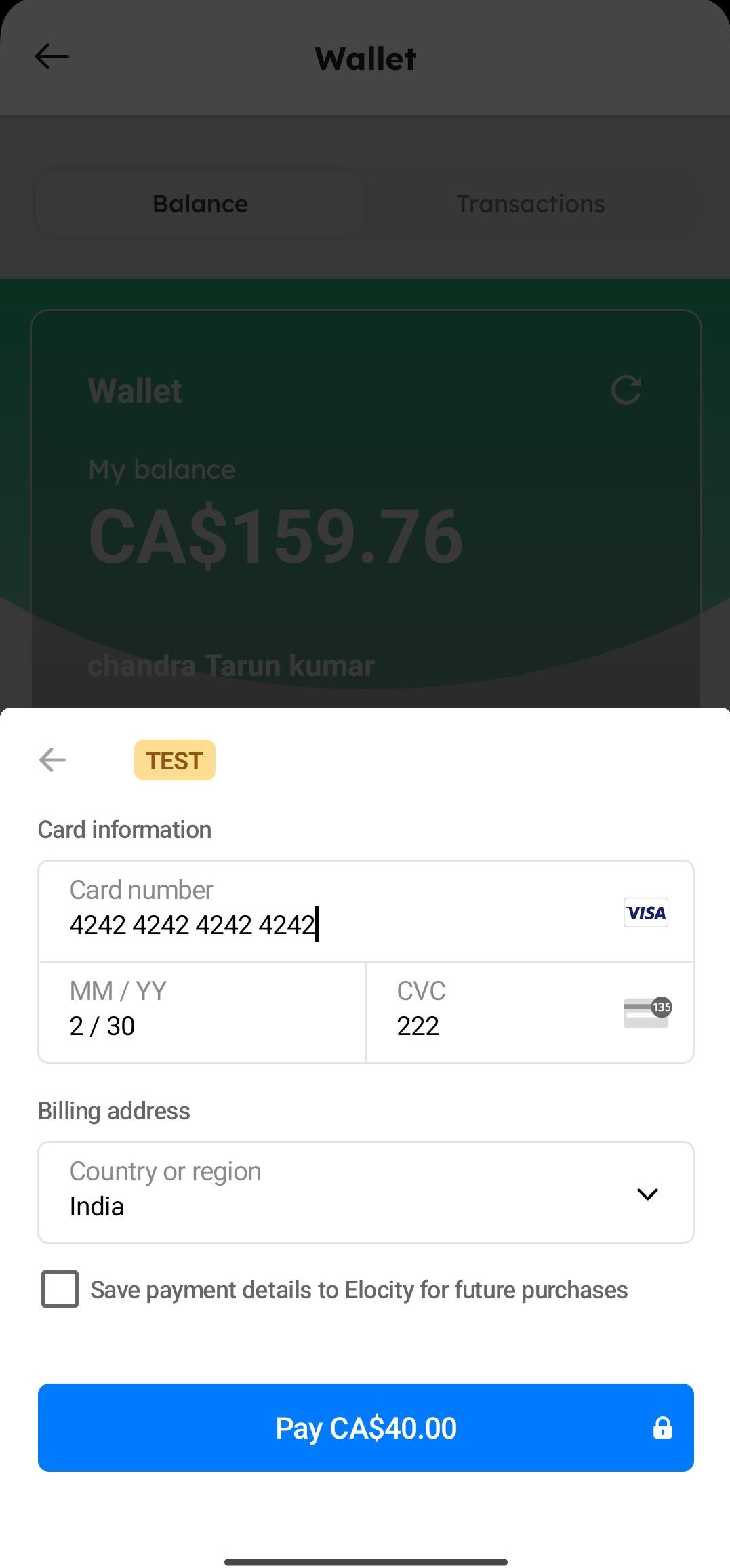
-
Once successful, your updated wallet balance will immediately reflect on the wallet screen.
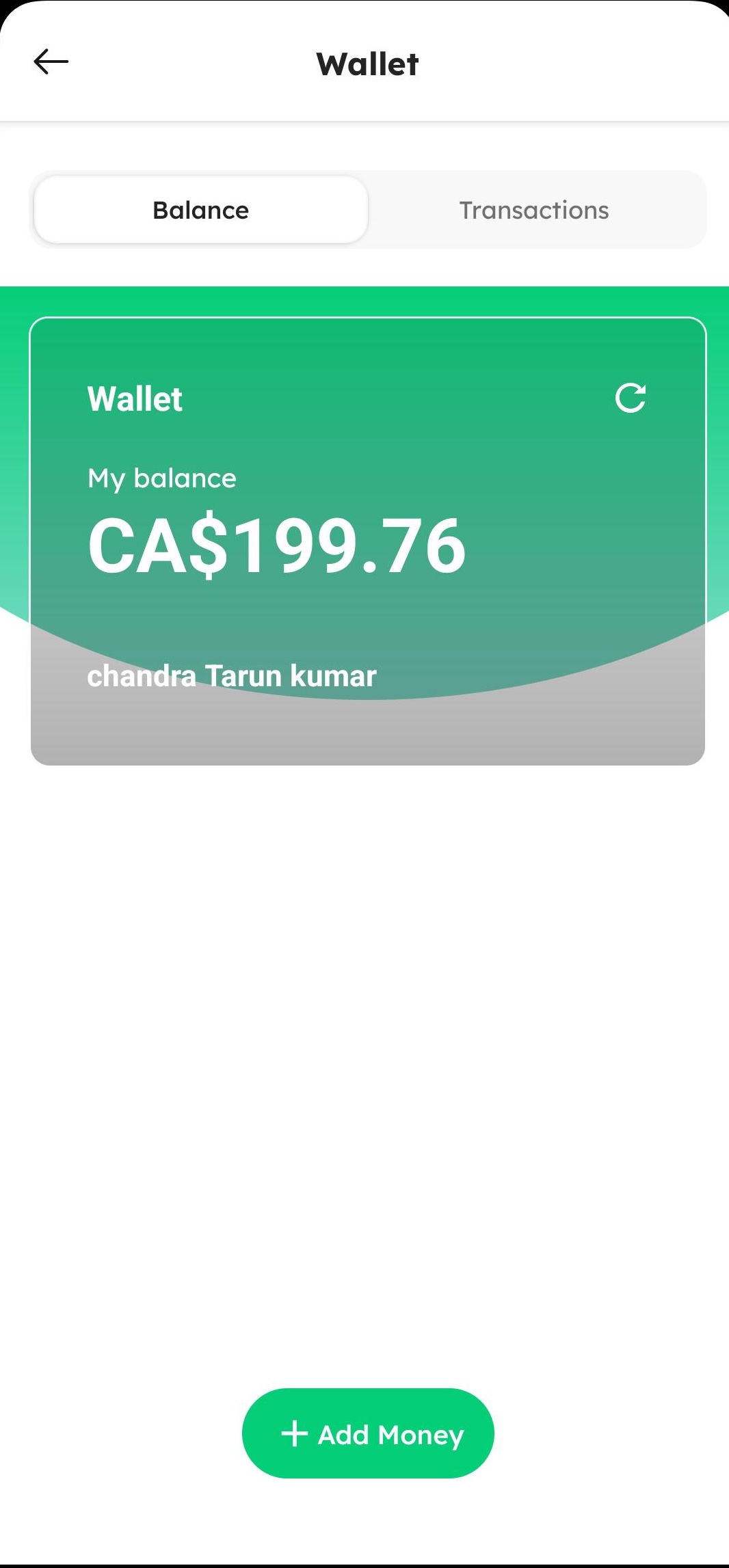
Viewing Wallet Transactions
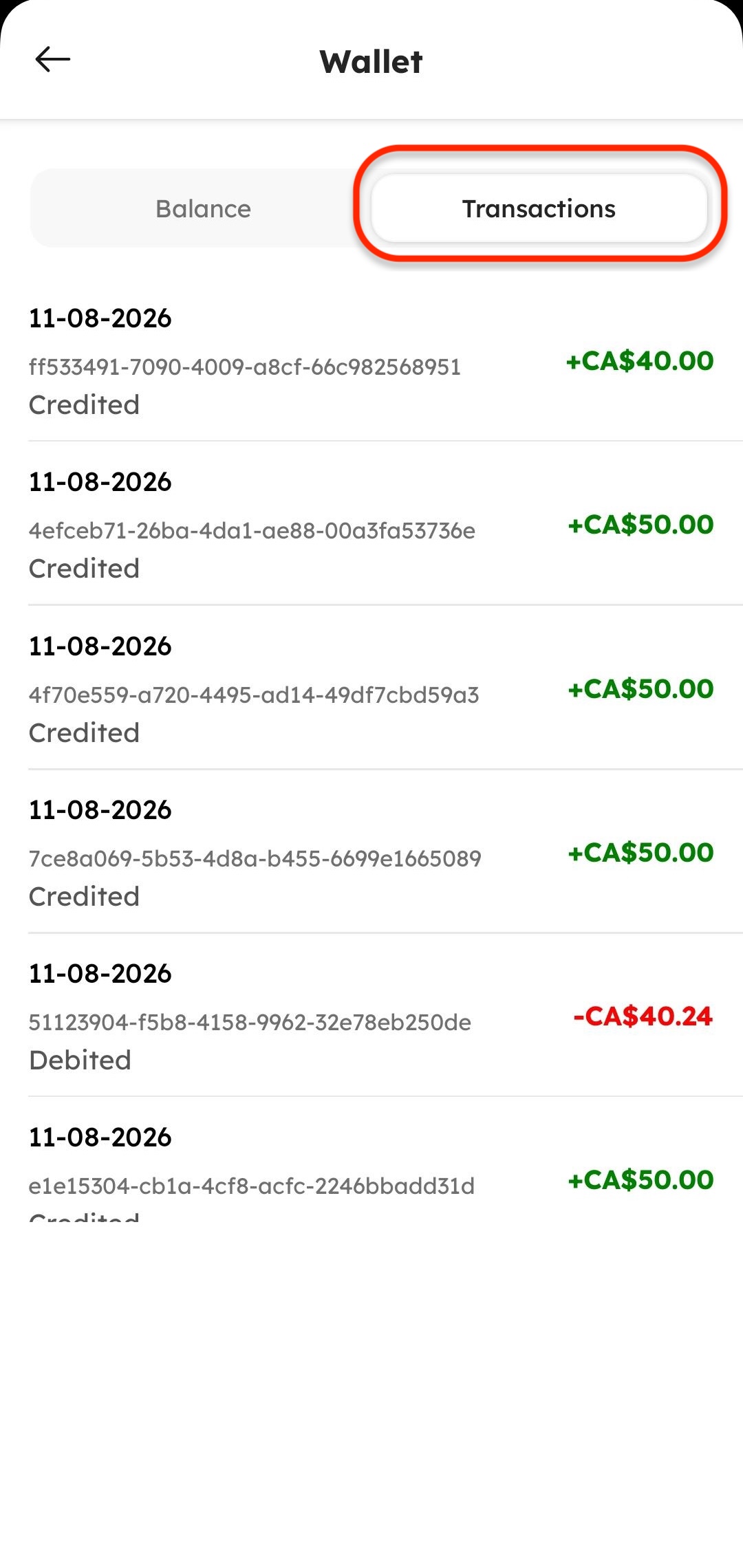
On the main Wallet screen, you can review your recent wallet transaction history under the Transactions section:
The Wallet Transactions screen displays a detailed list of your past account activities:
- Transaction ID: Displays the unique transaction ID string.
- Date & Time: Displays the exact date and timestamp of the transaction (e.g., 11-08-2026).
- Credited or Debited Amount:
- Credit (Money Added): Shown with a plus sign (
+) and green text (e.g., + $10.00). - Debit (Money Deducted): Shown with a minus sign (
-) and red text.
- Credit (Money Added): Shown with a plus sign (