Viewing Location Details
The Location Details screen in the HIEV Canada app provides comprehensive information about a charging station, including connector status, pricing, location directions, reserving chargers, and user reviews.
Accessing Location Overview
To view details for a specific charging station:
-
Sign in to your HIEV Canada account.
-
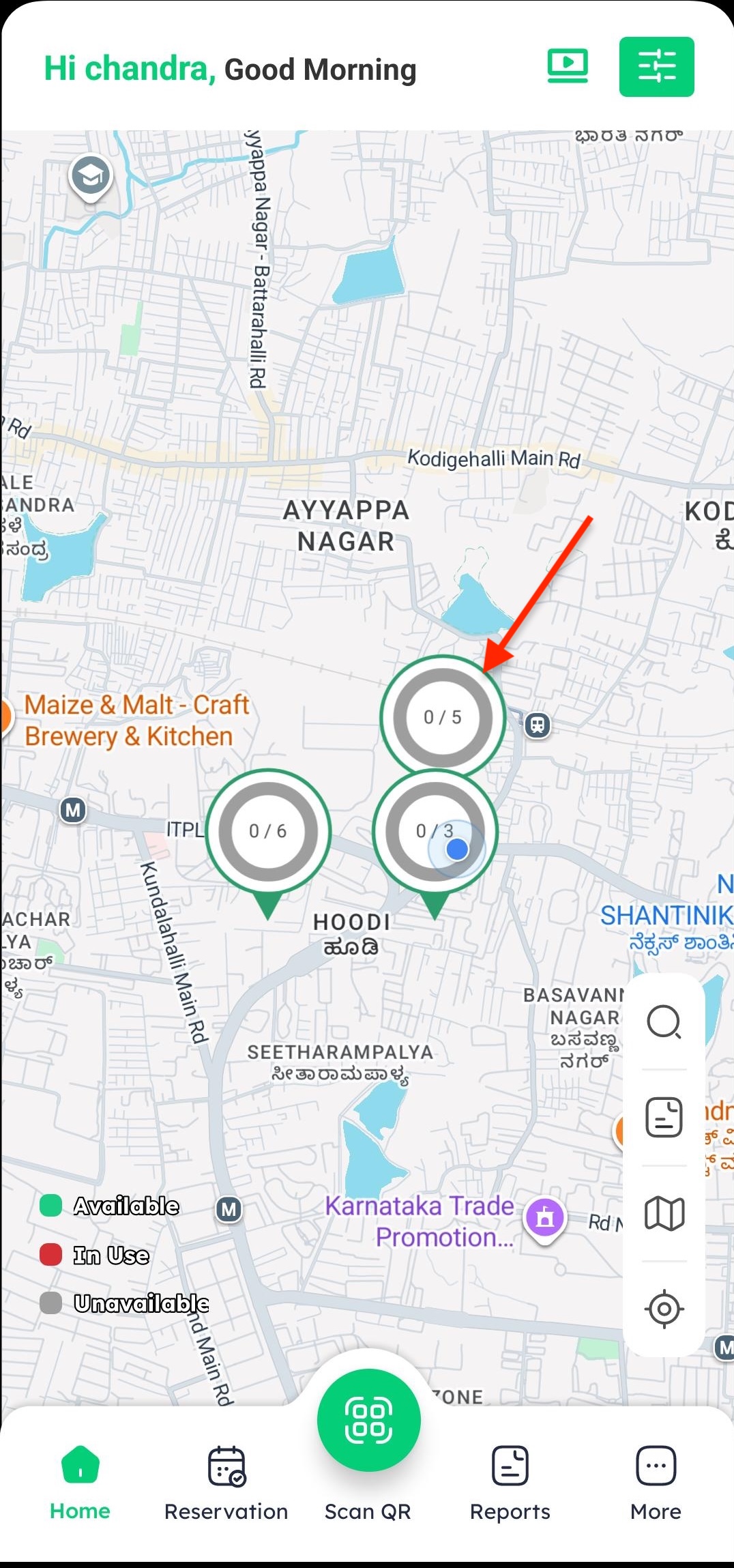
On the Home map, tap on your desired charging location card.
-
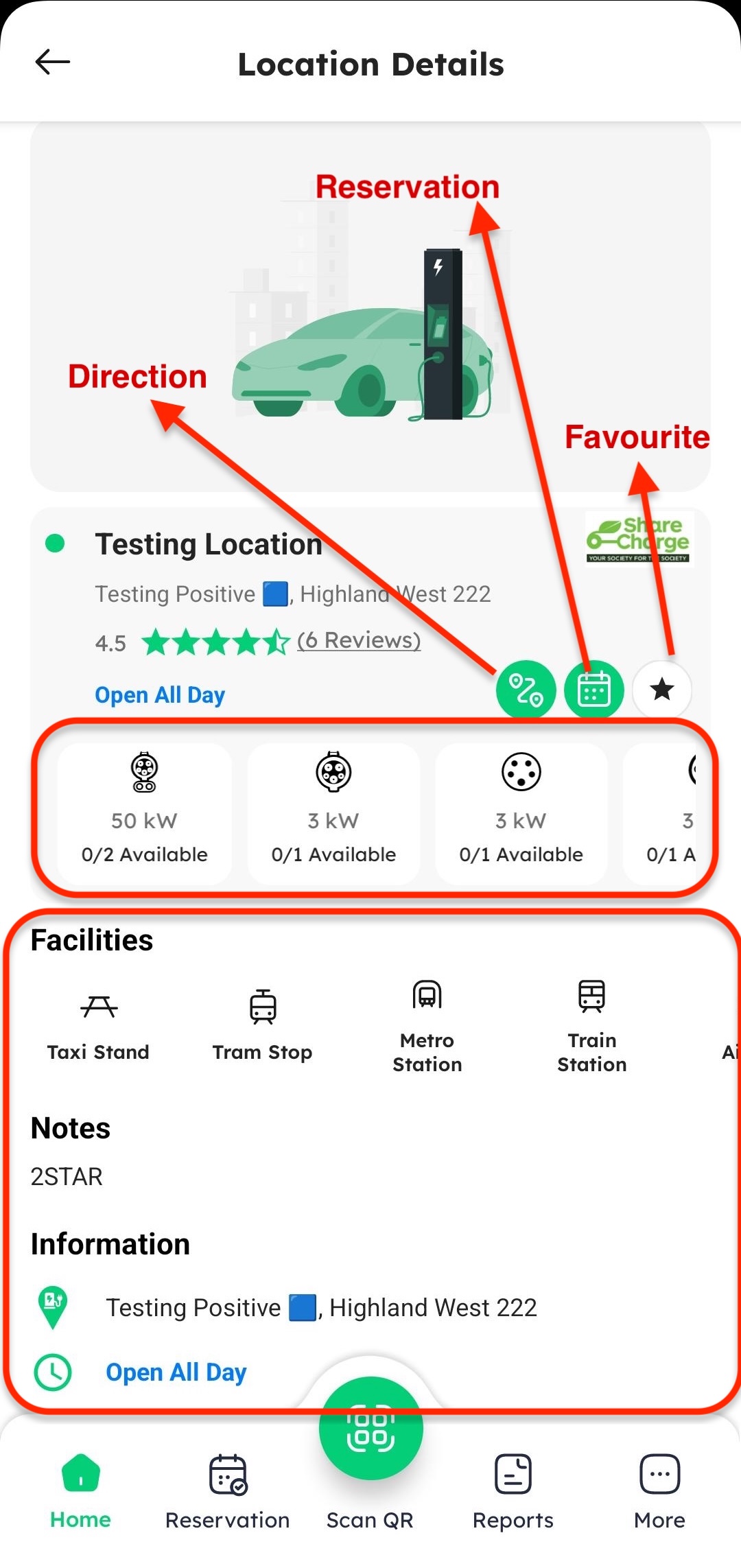
You will be taken to the Location Overview screen, which displays:
-
Station Name & Address: Exact physical location and site name.
-
Action Buttons:
- Directions: Tap to open map navigation to the station.
- Reserve: Tap to reserve an available charger in advance.
- Favorite (Star Icon): Tap to save the station to your favorites list.
-
Available Connectors: Displays connector types (e.g., CCS, CHAdeMO, J1772), maximum power output (kW), tariff rates ($/kWh), and real-time availability status.
-
Site Details: Shows operating hours, access restrictions, and available amenities.
-
Viewing Reviews
The Reviews tab lets you check feedback from other EV drivers or share your own charging experience.
-
Sign in to your HIEV Canada account.
-
Tap on any charging station location card from the Home screen or map.
-
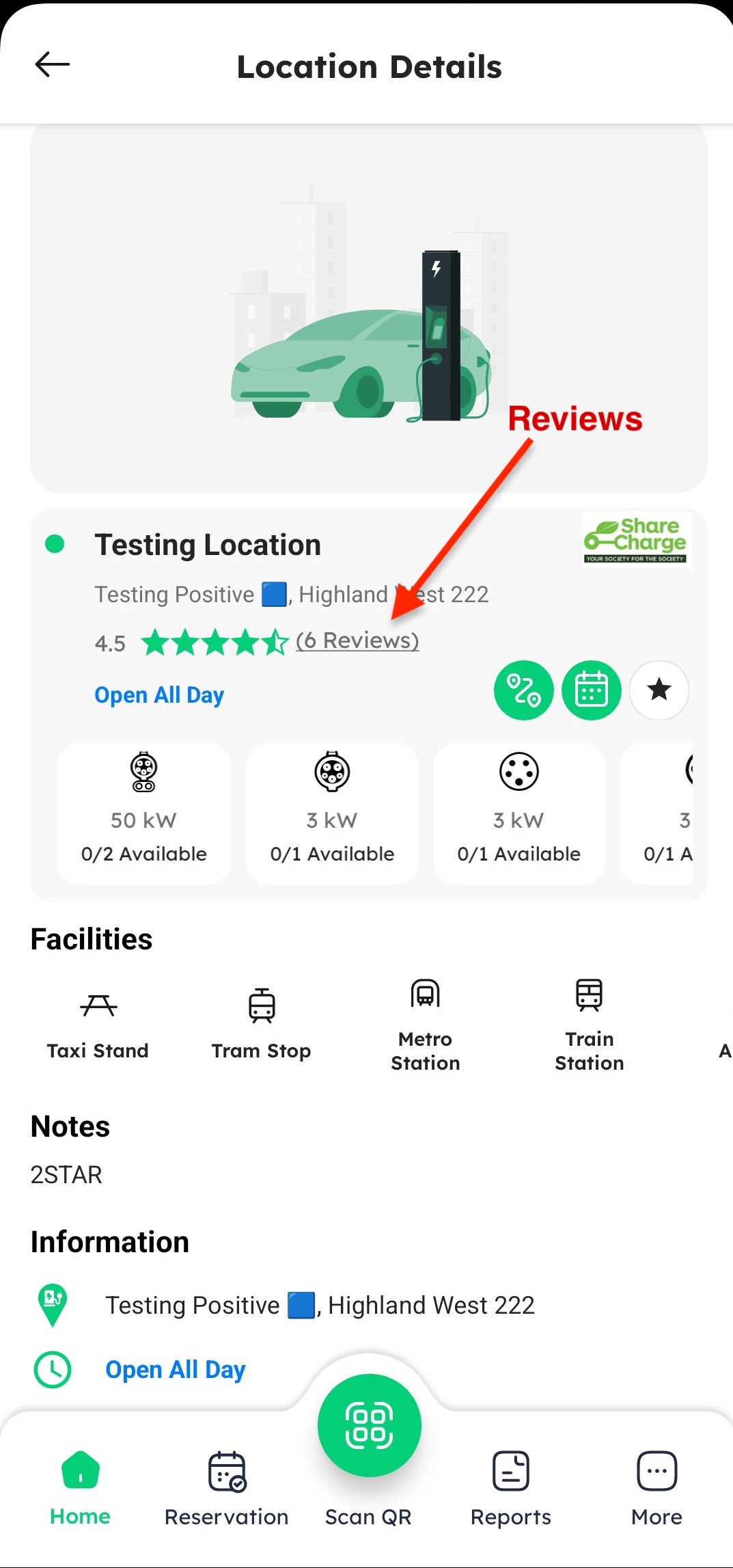
On the Location details page, tap on the Reviews tab.
-
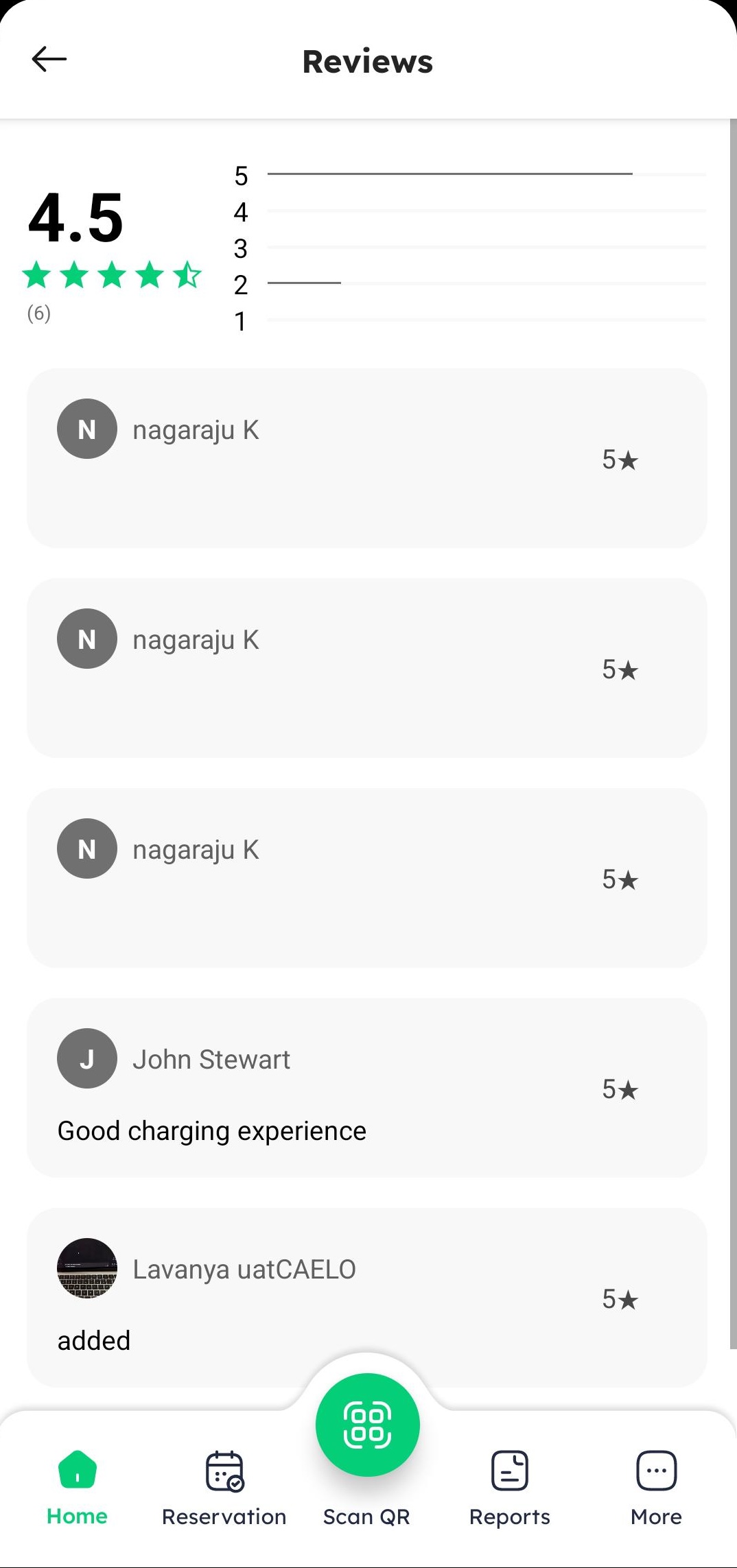
On the Reviews screen, you can:
- Review Rating Summary: View the average star rating and total user feedback count.
- Read User Reviews: Explore individual driver ratings, written comments, and timestamps.(e.g., "Good charging experience").